Unattended Configuration
Use unattended configuration to manage Develocity settings from a declarative YAML file.
This approach fits GitOps workflows where you version and review configuration changes.
|
When you apply unattended configuration with If you changed settings in the UI, export your configuration and update the file in version control before your next Helm deployment:
|
Develocity applies a new unattended configuration once, then stores it in the database. Configuration changes made with the Develocity UI persist between startups unless the configuration file is updated and applied, typically by an upgrade. When configured for unattended configuration, Develocity starts up with the configuration stored in the database.
If you keep a copy of your Develocity configuration for disaster recovery or for creating test installations, keep that copy current. Export your configuration from your instance whenever someone changes settings in the UI, or have a policy that disallows changing settings in the UI.
Prerequisites
-
Access to the Develocity UI with administrative permissions.
-
A Helm-based Develocity installation.
-
develocityctl available in your environment.
-
Optionally
yqfor YAML processing in the command line.
Provide Configuration to Helm
You can provide unattended configuration to the Helm chart in either of these ways:
-
Inline under
global.unattended.configurationin values.yaml. -
As a separate YAML file with Helm
--set-file global.unattended.configuration=….
If your configuration contains aes256: encrypted values, you must also provide the encryption key using global.unattended.key (in values.yaml or via --set-file).
You can pass the configuration and the key in different ways.
For example, provide the configuration in values.yaml and pass the key with the global.unattended.key CLI option.
Or provide the configuration in a separate file with the global.unattended.configuration CLI option and pass the key in values.yaml.
For end-to-end examples, see:
# Example: Applying a standalone configuration file
helm upgrade develocity gradle/develocity \
  --set-file global.unattended.configuration=unattended-config.yaml
The following example is a minimal, valid Develocity configuration file. It contains the two required properties: the configuration schema version and the hashed password of the system user.
version: 17
systemPassword: "HASHED_SYSTEM_PASSWORD" (1)
| 1 | Replace HASHED_SYSTEM_PASSWORD with the hashed password of the system user, as described in Hashing the System Password. |
When editing the file, use the JSON schema for code completion and validation.
You can also use SchemaStore support in your preferred editor.
To check the file before you apply it, run the config-file validate command of develocityctl.
|
Handling Secrets
To maintain security in your GitOps pipeline, protect sensitive values (for example, SMTP passwords or the system user password).
Hashing the System Password
The system user password must be hashed before you add it to your configuration file.
Use develocityctl to generate the hash:
echo "PASSWORD" | develocityctl config-file hash -o secret.txt -s - (1)
| 1 | Replace PASSWORD with the password you choose for the system user. |
cat secret.txtJPUFnmELA2i39tDNWSdhCizAfooGr/+5Nf6syHEt73w==:GbbMg4NkEIG7OwSpGdaRx3OmzfdlTS21/QCpN6r8en9jK9Rw==
|
If using the Docker form of
|
Encrypting Secret Values
The system password must be hashed, but other secrets in this file can optionally be symmetrically encrypted.
If your automation injects secret values securely, store them as plain text rather than encrypting them.
Encrypted values have a prefix of aes256:, as shown in this configuration file snippet:
email:
  authentication:
    password: aes256:aExYdWTRU24ZZ4Yo:wKcjYYRJajU4J4B5:Uz66aGkDDZqI2kNQ81mj4/q1oyi2Q88=
Secrets that are included in the configuration file as plain text must be prefixed with plain::
email:
  authentication:
    password: plain:MySecretPassword
develocityctl can generate a new encryption key and encrypt secret configuration values using that key:
develocityctl config-file generate-key -o key.txt
echo "secret_value" | develocityctl config-file encrypt -k key.txt -o encrypted.txt -s -
cat key.txtaes256:7l1odtTnuza0B9aa:1q2Bx/E7yz1zronpuJpOxAsgos5qpq4CtDsE2K5QnRs=
cat encrypted.txtaes256:7l1odtTnuza0B9aa:VFVkWB9OBsXz79Ue:njXgHpQJIVDCkqZgUUJXl6X2eItkJndW4vT762TesaY=
Configuration values which are applicable for encryption have the type EncryptedSecret in the JSON schema.
| If you encrypted secrets in the file with a key, keep this key available to provide to Helm. |
develocityctl Docker Image Usage
As with hashing values, if using the Docker form of develocityctl, the shell alias recommended in the guide does not allow piping input as above.
To make it work, either omit the key and secret from the command and enter the values interactively:
develocityctl config-file generate-key -o -aes256:bCy08OAN8tIbwMbW:EobFycmy1VtAGX/0motfSpVZzex3cHHf4sr6pmOrwWo=
develocityctl config-file encryptEnter key: Enter secret:
aes256:bCy08OAN8tIbwMbW:XbOx4IFZ/LtMBINV:RZ4z75rcl0F94WSyIljRd/a8aw==
Or run the Docker command directly:
develocityctl config-file generate-key -o - > key.txt
echo "secret-password" | docker run --rm -i -v $(pwd)/key.txt:/key.txt \
gradle/develocityctl config-file encrypt -k /key.txt -o - -s -aes256:bCy08OAN8tIbwMbW:XbOx4IFZ/LtMBINV:RZ4z75rcl0F94WSyIljRd/a8aw==
Exporting and Migrating
The most reliable way to create a valid configuration file is to let Develocity generate it for you.
The Export Workflow
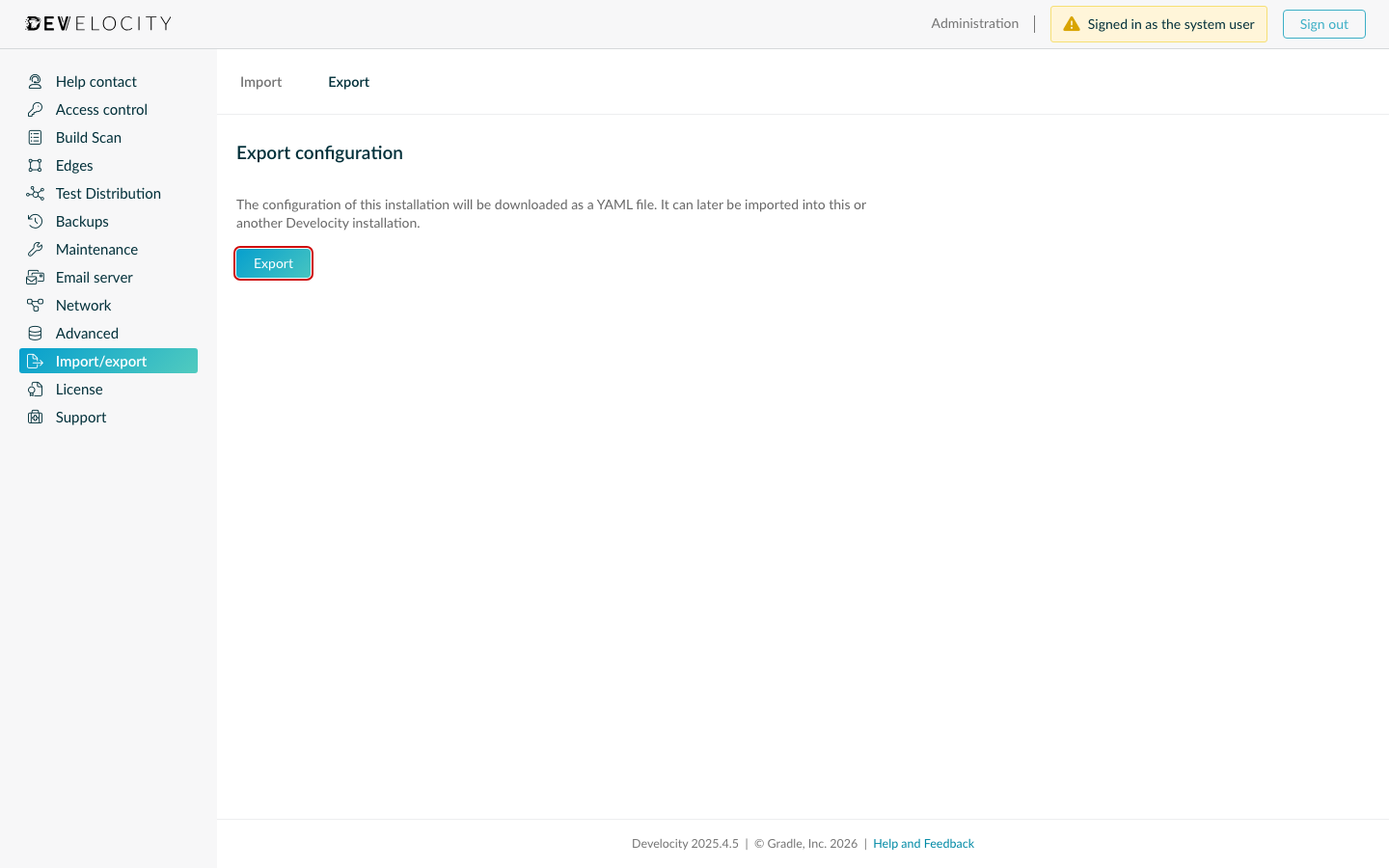
-
Go to .
-
Click Export to download your current configuration as a YAML file.
-
Develocity migrates the exported file to the latest schema version supported by your instance.
Migrating a Configuration File to a New Schema Version
To enable a setting that your current Develocity version does not support, you need a configuration file for the latest schema version. Migrating a configuration file to an updated schema version by hand is difficult. However, Develocity automatically updates every exported configuration file to the latest version of the schema.
To automatically migrate a configuration file to an updated schema:
-
Upgrade to the Develocity version that supports the new setting.
-
Export the configuration file using the UI.
-
Edit the file for the new setting.
-
Apply the updated unattended configuration file using
helm upgrade. -
Check your configuration file into source control.
Download the JSON Schema
Download the JSON schema for the current Develocity release:
For schema downloads of earlier Develocity releases, see Develocity Configuration Schema in the Develocity Version Compatibility page.
Configuration Validation
Before you apply a new configuration to a production instance, validate the file syntax and schema version using develocityctl.
develocityctl config-file validate unattended-config.yamlIf your unattended configuration is embedded in values.yaml, extract that subtree with yq and pipe it into develocityctl:
cat values.yaml | yq '.global.unattended.configuration' | develocityctl config-file validate -