Getting Started With Develocity for Docker
|
Docker support is not enabled by default. To enable it, contact Develocity support. |
Installation
Develocity server installation isn’t covered here. Consult one of the following installation manuals for help with installation:
The examples in this guide use develocity.example.com as the Develocity hostname with HTTPS enabled.
Develocity Docker Agent
The Develocity Docker agent runs alongside your Docker builder as a separate process, on the same host where you run docker buildx build.
It requires no change to your Dockerfiles or build commands.
|
-
Download the agent JAR:
curl -OL https://develocity-docker-build-agent.gradle.com/develocity-docker-agent-0.9.0.jarTo verify the download before running it, see Verifying the Signature of the Agent JAR in the Docker agent user manual.
-
Start the agent, pointing it at your Develocity server with the
DEVELOCITY_URLenvironment variable:DEVELOCITY_URL=https://develocity.example.com java -jar develocity-docker-agent-0.9.0.jarThe agent accepts no command line arguments: it is configured entirely through environment variables.
-
Wait for the agent to report that it is ready:
Outputsubscribed to BuildKit, waiting for builds
To publish to a Develocity instance that requires authentication, configure an access key. See Authenticating With Develocity in the Docker agent user manual.
Build Scan
A Build Scan is a record of each Docker image build, captured and published to your Develocity instance. Each Build Scan includes the build steps, their console output, and a searchable history across all builds.
Quick Start
While the agent is running, every image build performed by the observed builder publishes a Build Scan. The agent observes the builder currently selected for its Docker CLI environment: see How the Agent Observes Builds in the Docker agent user manual. Run any image build:
docker buildx build -t acme/app .As the build completes, the agent logs a line similar to:
scan published: https://develocity.example.com/s/3z475bz247h5g
Follow that link to view your Build Scan.
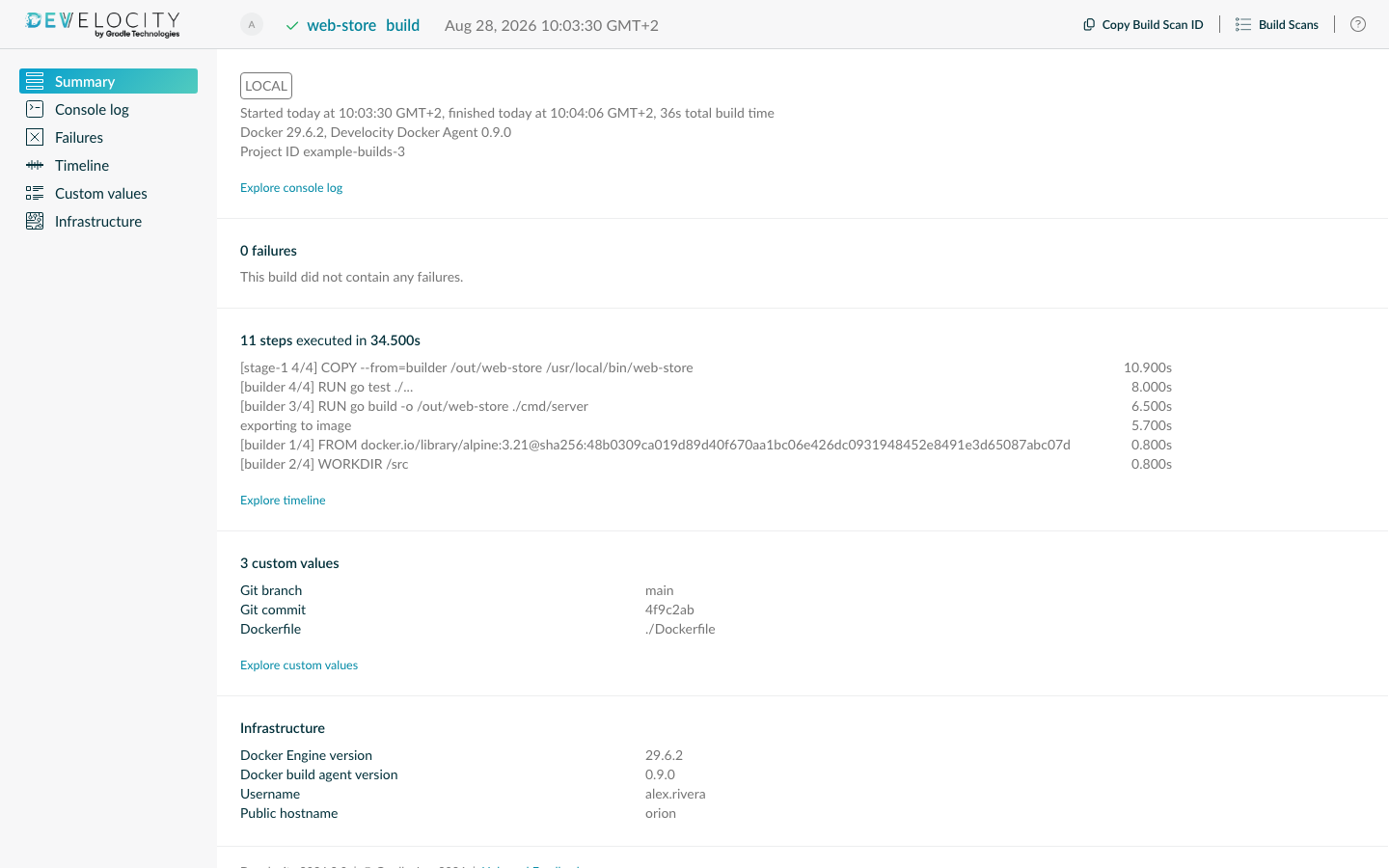
Build Scan publication is passive with regard to the build process: it doesn’t affect the outcome or outputs of your build. The agent won’t cause build failures, even when there is no connection to the Develocity server when trying to publish.
Find and View Any Build Scan
Search through all captured Build Scan records by going to https://develocity.example.com/scans.
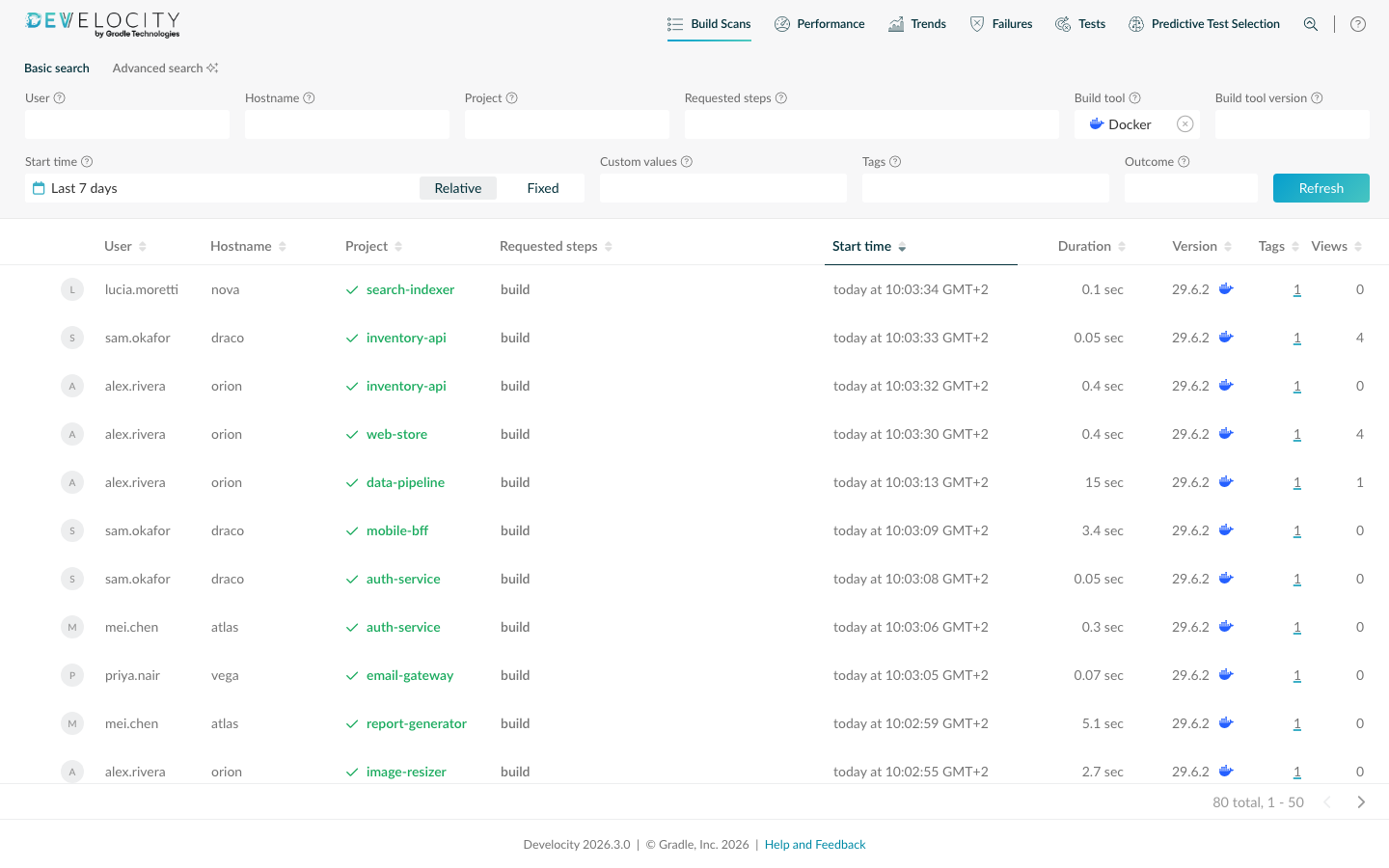
Search by project name, username, build outcome, start time, and more. By default, the list shows the most recent Build Scan records first.
Inspect Build Steps
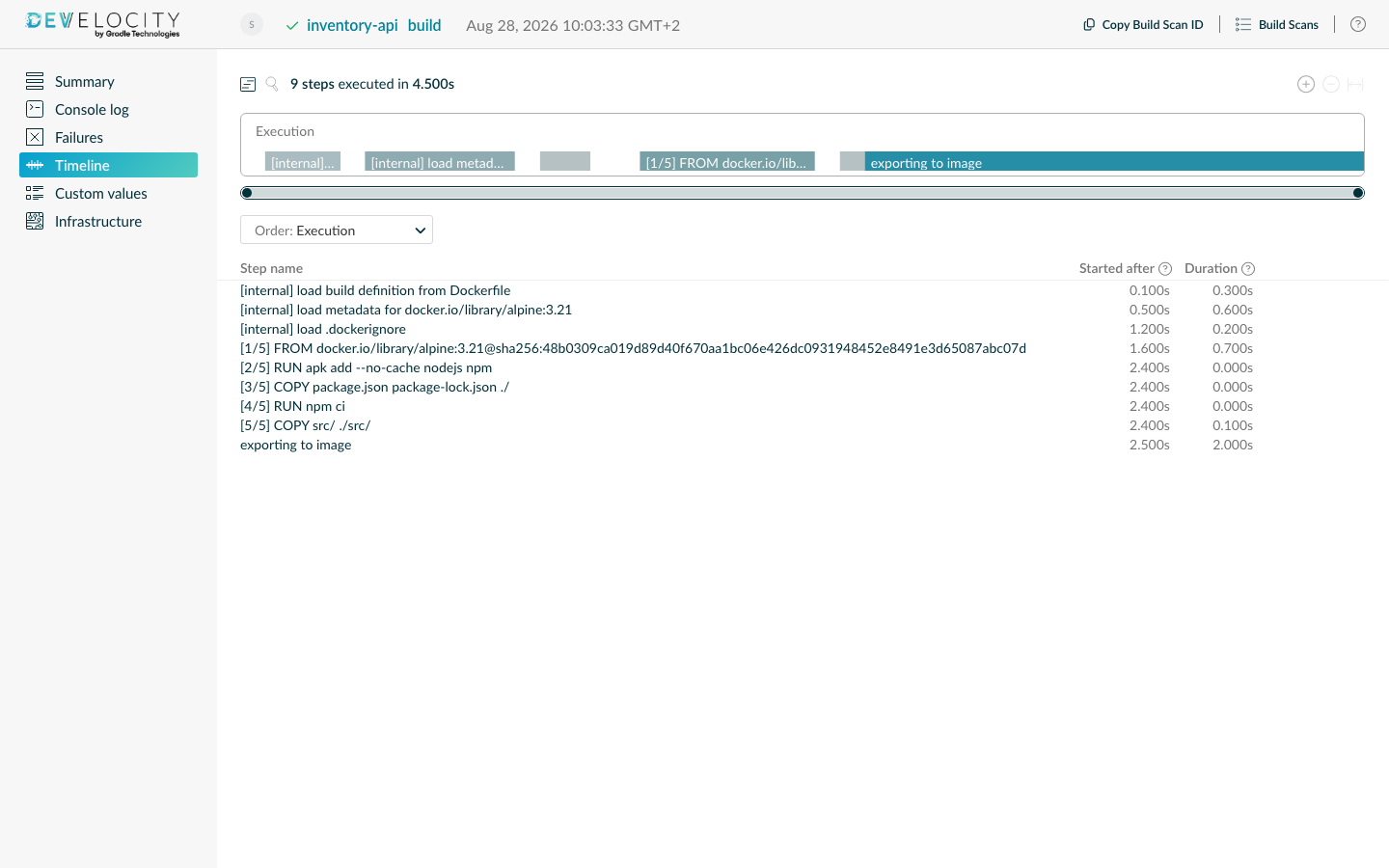
Each Build Scan breaks the image build down into its individual steps. For every step you can see how long it took, its outcome (passed, cached, canceled, or failed), and the console output it produced. The timeline highlights the build’s critical path, and selecting a step opens its details.
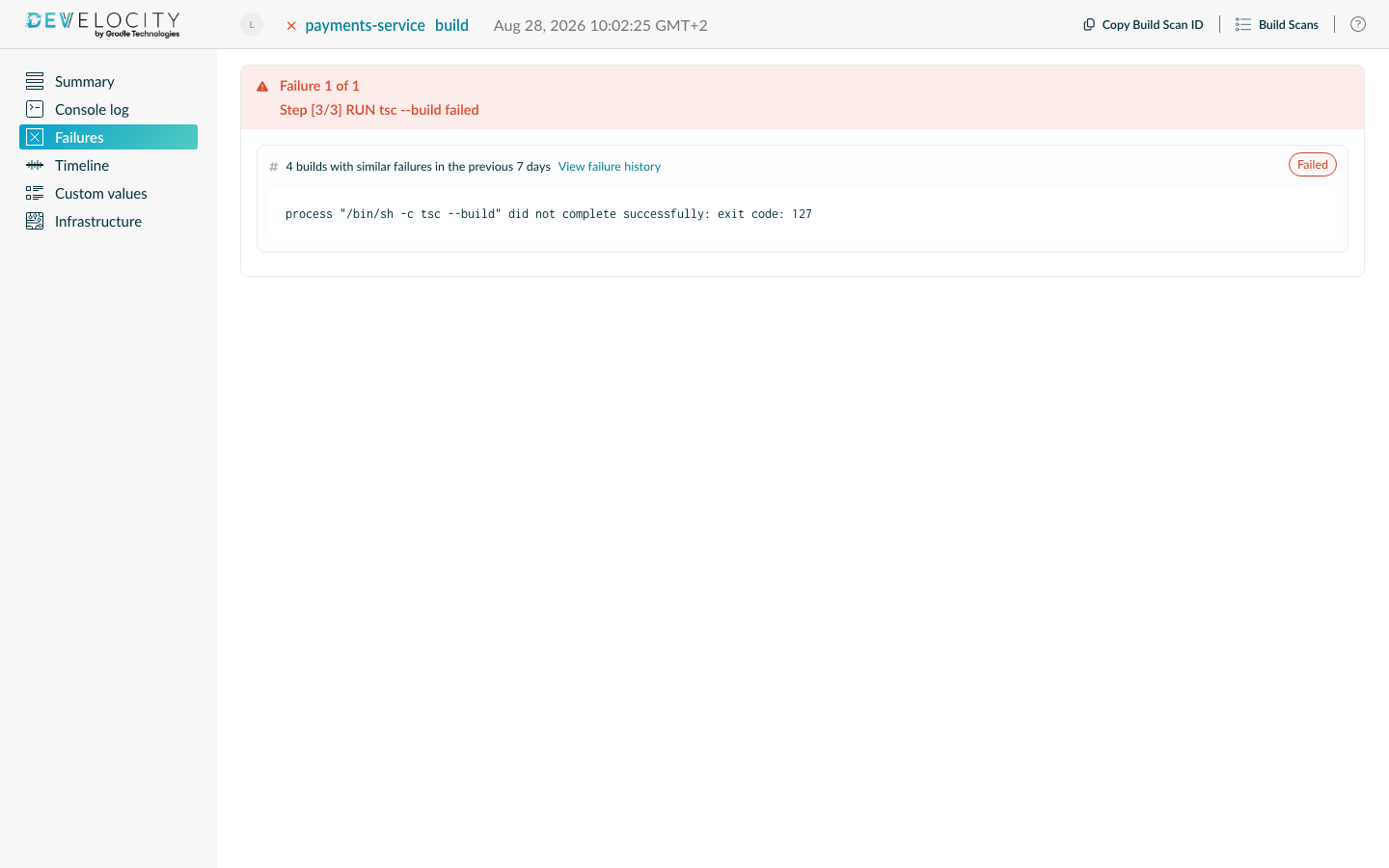
Failed steps show their console output, and the build’s exit code is reported alongside.
Custom Tags, Values, and Links
The agent adds some metadata automatically, and each Build Scan can be enriched further with custom tags, values, and links passed as build arguments: see Extending Build Scan in the Docker agent user manual for the available options. Captured automatically:
-
A
CIorLOCALtag, depending on where the build ran, and the name of the CI provider -
VCS information for git checkouts: the repository URL and the commit identifier, and the branch name when the agent can resolve it (see VCS Information in the Docker agent user manual)
-
A link to the corresponding CI build on TeamCity; for other CI providers, pass the link with a
DEVELOCITY_LINK_«label»build argument
What’s Next
-
For the full configuration reference, see the Develocity Docker agent user manual.
-
For what changed in each Docker agent release, see Release History.