Test Distribution
Test Distribution runs tests in parallel across multiple agents or machines, reducing the overall test execution time.
Develocity Test Distribution takes your existing test suites and distributes them across multiple compute resources to run them faster. It requires connecting one or more test execution “agents” to Develocity. Builds that have enabled Test Distribution connect to Develocity, which then distributes the tests to be executed on connected agents.
Connecting Builds
Consult the Develocity Test Distribution User Manual for information on build configuration.
Develocity users must be granted the “Test Distribution” access control role to be able to use Test Distribution.
| Builds and agents connect to the Develocity server using a WebSocket connection. Enable WebSocket support on every load balancer or proxy between the build or agent and the Develocity server. |
The Jobs tab lists the active jobs. Each row represents a running test task in a Gradle build or a running test goal in a Maven build.
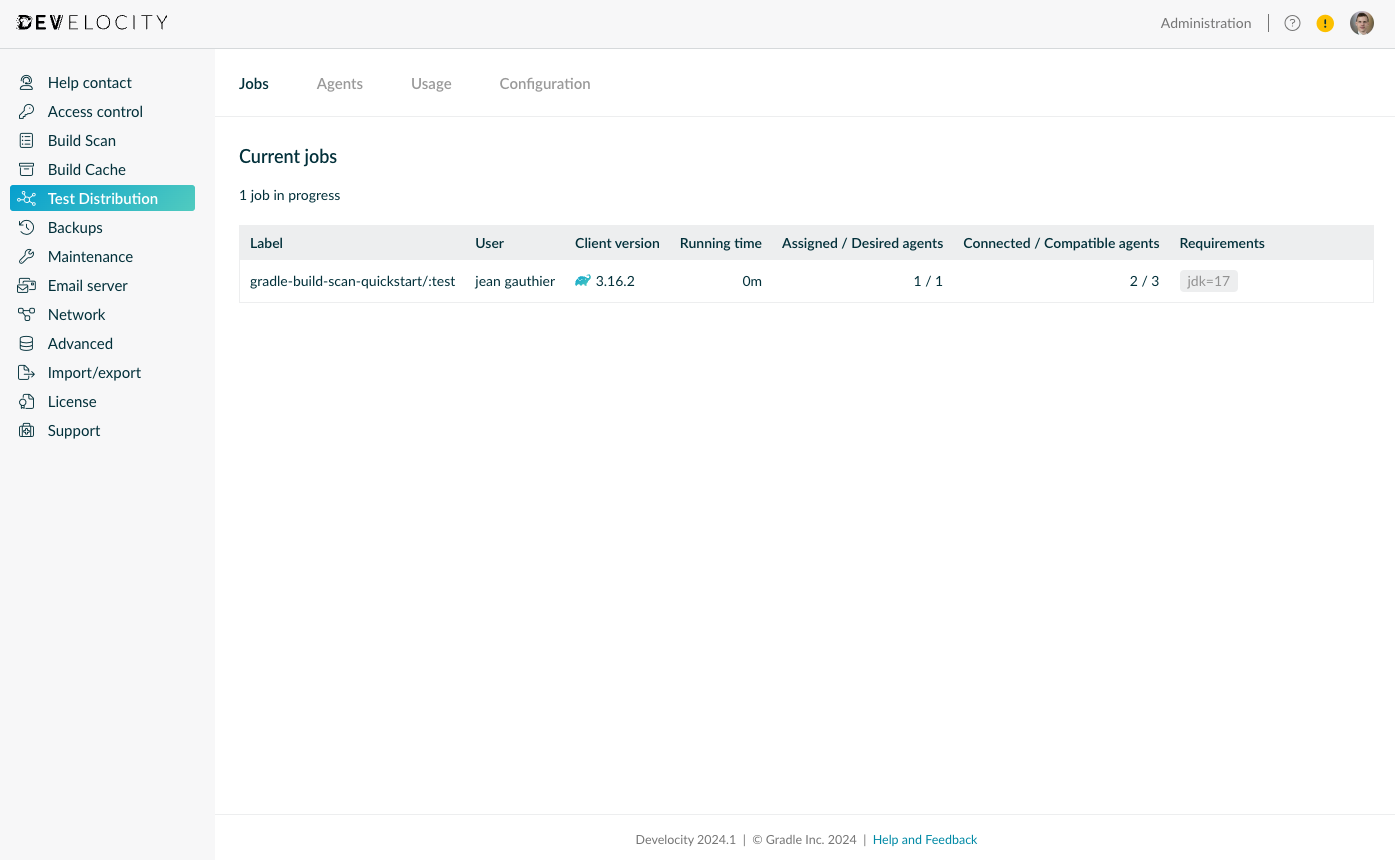
The first part of the label indicates the root project name of the build, while the second part identifies the particular task or goal. The count of assigned/desired agents shows the number of agents assigned to the job, and the number the job wants. More agents might be assigned as they become available. The count of connected agents shows the number of connected agents whose capabilities satisfy the requirements of the job. Similarly, the count of compatible agents shows the theoretical number of compatible agents that could be provided by agent pools.
Agents
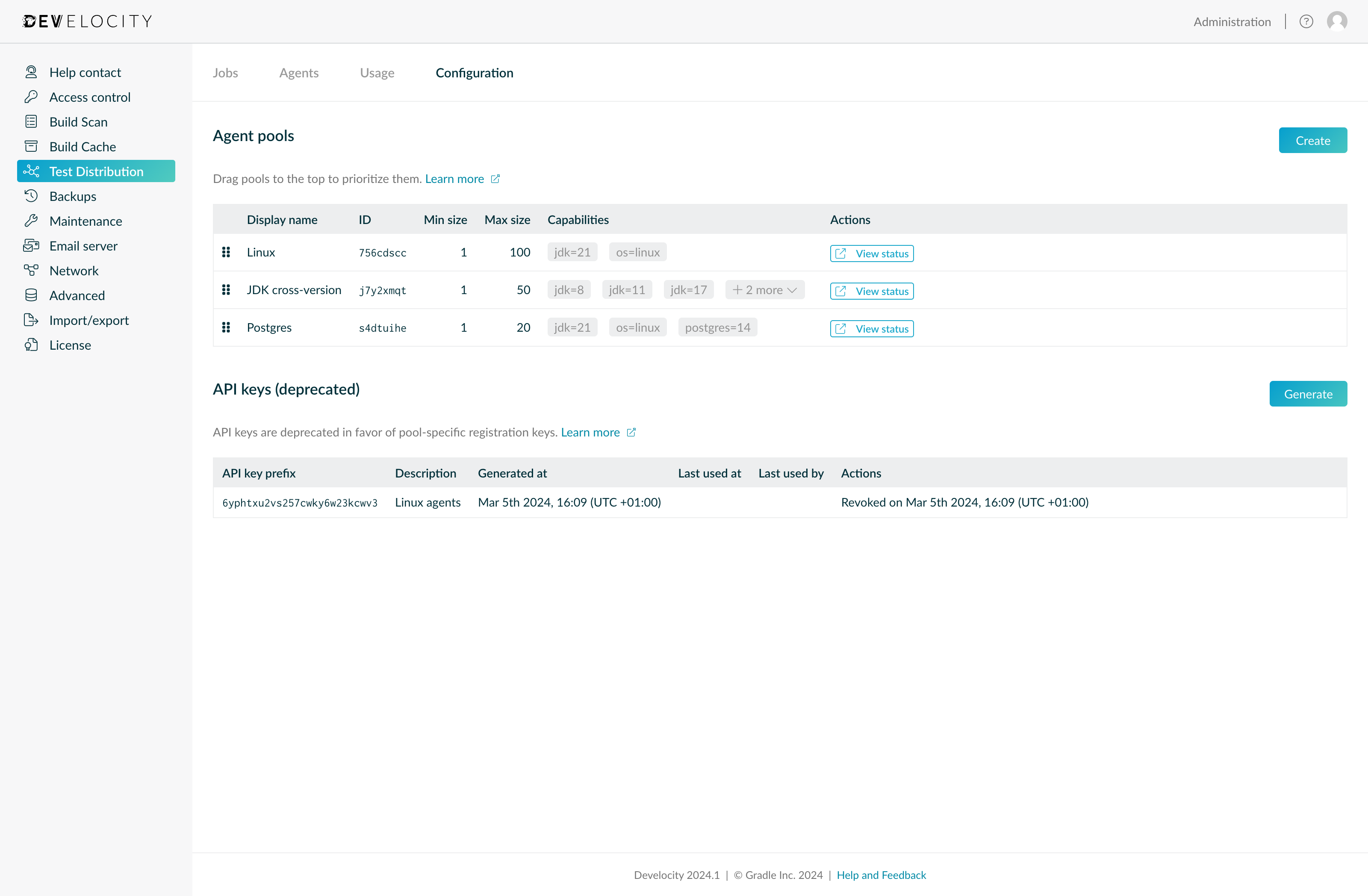
Utilizing Test Distribution requires connecting additional compute resources, called agents, to Develocity. The Test Distribution agent is available as a Docker image or standalone JAR. You can deploy and operate it with Kubernetes or any modern compute platform. Consult the Develocity Test Distribution Agent User Manual for more on deploying and operating agents.
The Agents tab shows all connected agents.
Agent Pools
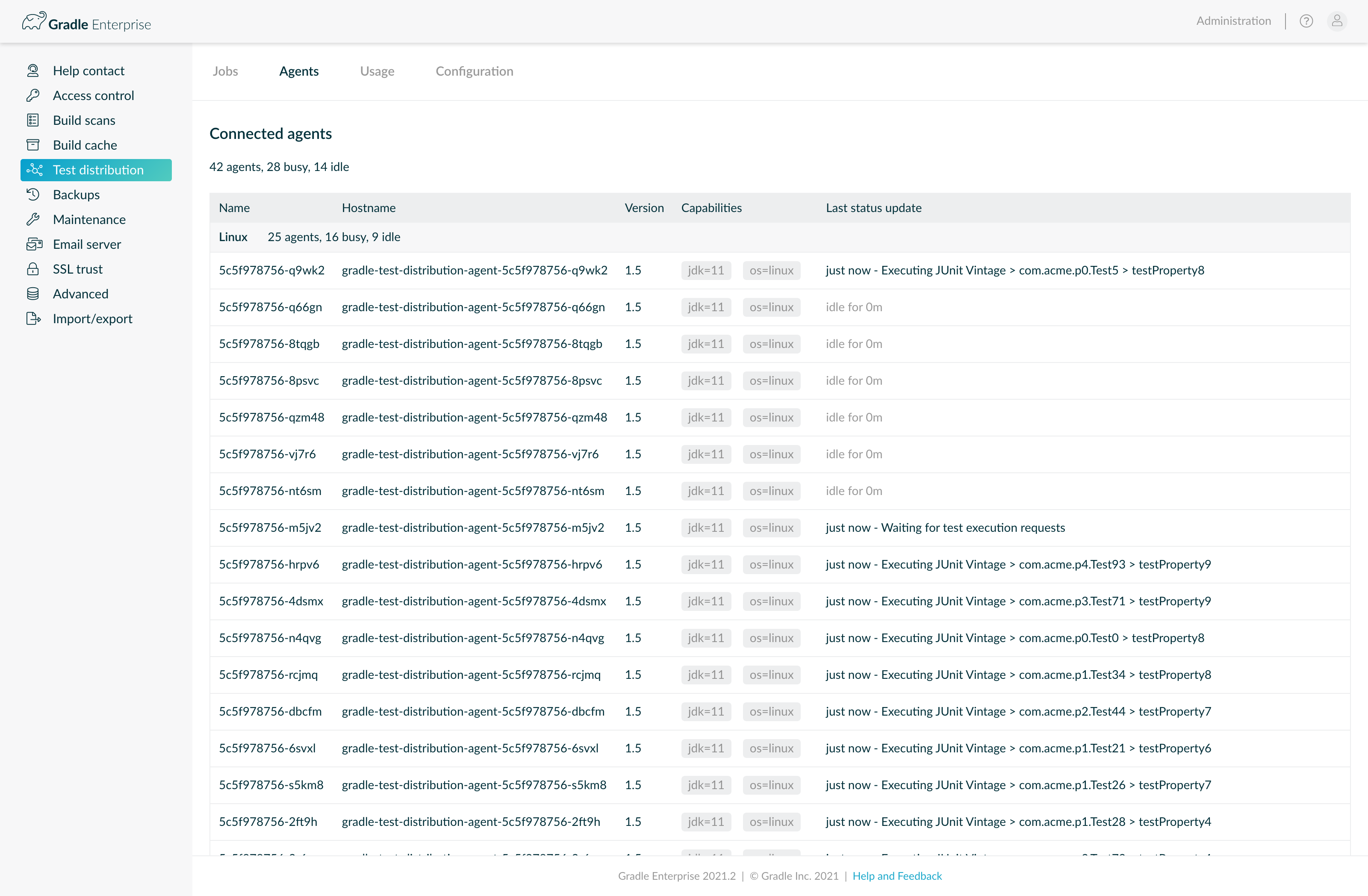
An agent pool is a group of agents that provide the same capabilities.
Autoscaling
Agents in a pool can be scaled up and down based on-demand. Each pool has a generated unique ID. An agent specifies this ID when it connects, to indicate its pool. Compute platform autoscalers use the same ID to determine the right number of agents for the pool at any time.
| Refer to the Develocity Test Distribution Agent User Manual for step-by-step instructions for autoscaling with Kubernetes. |
Minimum and Maximum Size
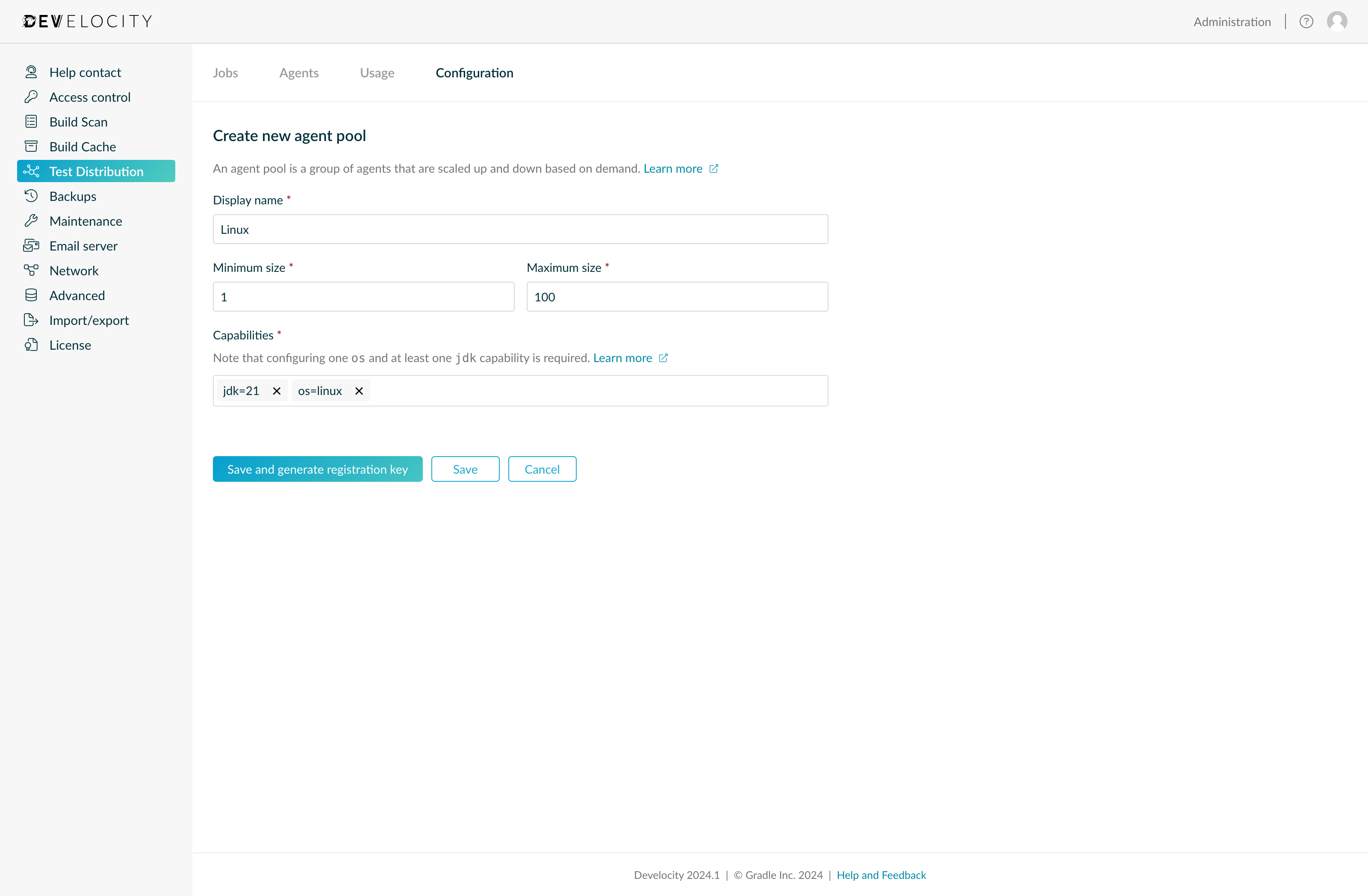
The minimum and maximum size of an agent pool is used to determine the desired number of agents at a given moment.
Ultimately, the actual number of agents is determined by the compute platform, which might impose incompatible limits. Where possible, ensure that the limits imposed by the compute platform are either identical to or compatible with those configured in Develocity.
To temporarily disable a pool, set both minimum and maximum to zero.
Capabilities
Agents in a pool are expected to provide a certain set of capabilities. An agent can provide additional capabilities, but Develocity rejects it when it connects without all the mandatory capabilities configured on its agent pool.
To compute the number of agents a pool needs, Develocity matches the pool’s capabilities against the requirements of the current jobs.
A pool that does not satisfy all of a job’s requirements is not used for that job.
Therefore, you should at least add a jdk=… capability to each agent pool since such a requirement is added implicitly to each job.
Each agent also has an implicit os=… capability.
Add it to the agent pool as well, for consistency and in case a job requires it explicitly.
Already connected agents that do not provide all mandatory capabilities will stay connected for up to 4 hours after adding capabilities to an agent pool. The Agents tab shows a warning indicator next to any agent whose capabilities differ from those of its pool.
To add a new capability to an existing pool, first add the capability to all connected agents, then edit the agent pool. This way, agents that connect while the change is being applied, for example during a rolling update, are not rejected.
To remove a capability from an agent pool, first remove the capability from the pool, then remove it from the connected agents. Agents in the pool that still provide the capability will no longer match the corresponding build requirement and not be assigned.
Project Groups
If project-level access control is enabled, usage of an agent pool can be restricted to specific project groups. In that case, agents in this pool run tests only for builds of projects in the specified groups. The user running the build also needs access to those projects.
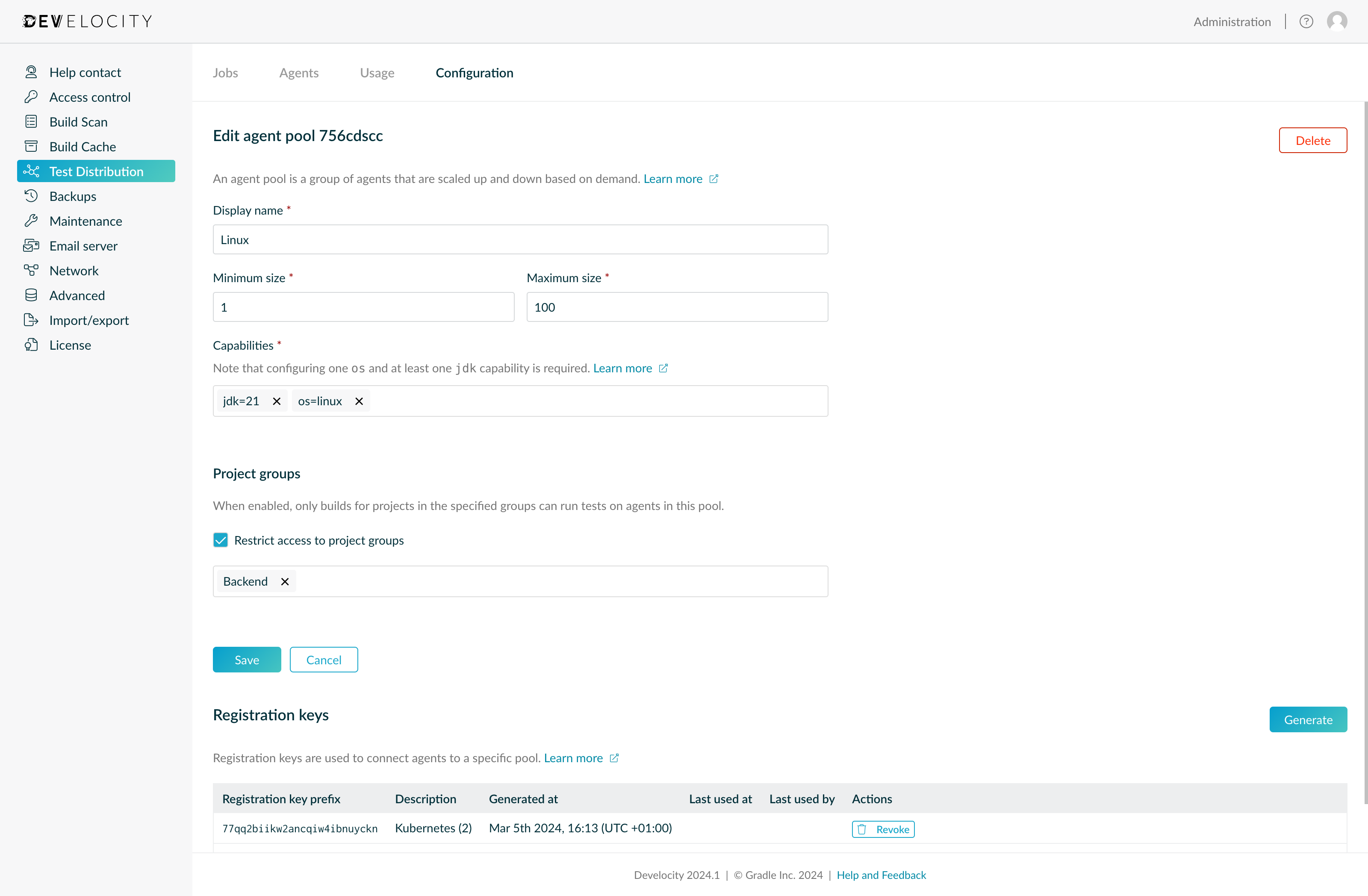
Agents from unrestricted pools can be used by any project. This is useful when Test Distribution agents can reach secured resources, such as databases or other services. Not every project should have access to those. To prevent misconfiguration, such agent pools require using pool-specific registration keys for authentication.
Registration Keys
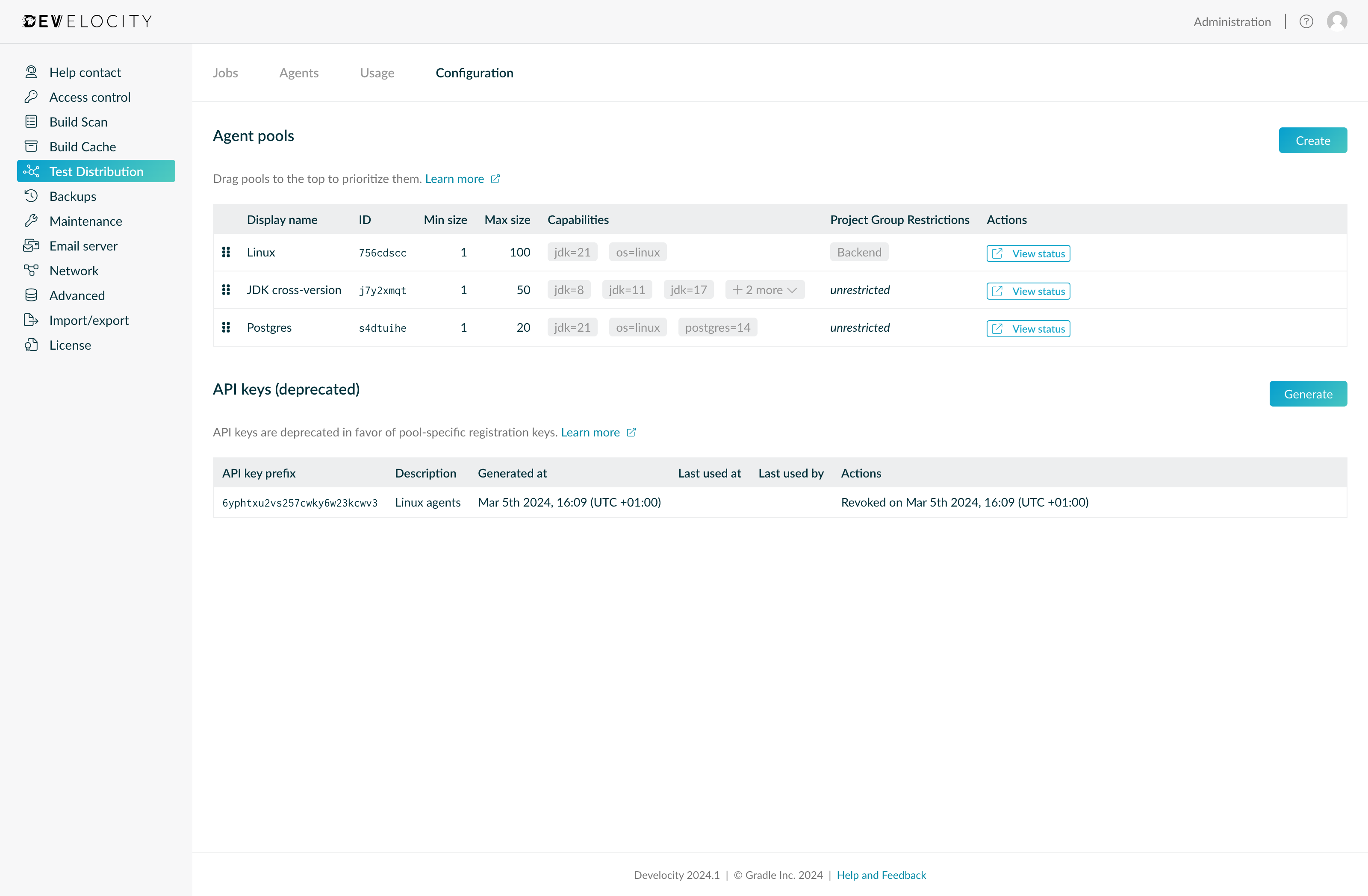
Registration keys are a pool-specific means to authorize agents with Develocity and the pool they connect to. They can be generated by editing an agent pool on the Configuration tab.
Multiple agents in the same pool can share a registration key, but an agent in another pool cannot use it. Multiple registration keys can be created to facilitate a rolling update if required. Revoking a registration key prevents it from being used for future registrations. Connected agents will be forcibly disconnected one hour after the registration key they used to connect is revoked.
Priority
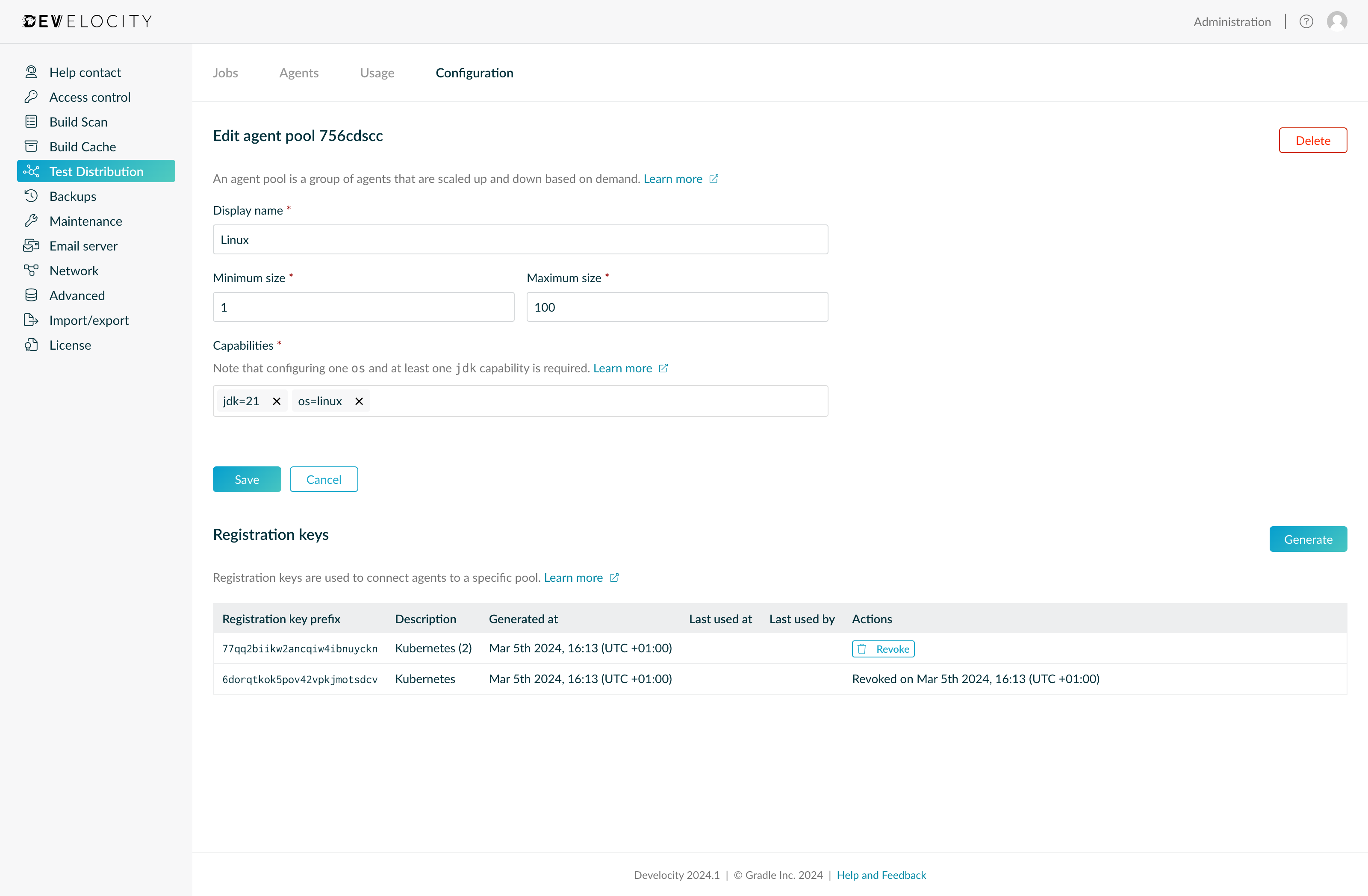
Pools with higher priority are utilized before pools with lower priority. If tests to be executed can be executed by agents from different pools, agents of the pool with the highest priority are requested. When scaling to meet demand, higher priority pools are scaled to their configured maximum before scaling lower priority pools.
You can change the priority of agent pools by dragging them on the Configuration tab. Pools that are higher on the list are prioritized over those below.
Deletion
Agent pools can be deleted at will when they are no longer needed. We recommend stopping all agents in the agent pool before deleting it. Already connected agents will stay connected for up to 4 hours after deleting an agent pool. During that time they will be shown with a warning indicator on the Agents tab.
Pool Status
Agent autoscaling relies on the autoscaling of a compute platform. The platform polls Develocity for a pool’s desired size, then starts or stops agents to match it.
The https://HOSTNAME/api/test-distribution/agent-pools/POOL_ID/status endpoint conveys a pool’s desired size at the moment, along with other information about the pool, as a JSON document.
Accessing the endpoint requires an access key provided via an Authorization: Bearer ACCESS_KEY HTTP header, with the user having the Test Distribution permission.
It can also be accessed in a browser when signed in to Develocity and having the Test Distribution permission.
To create an access key, log in to Develocity and go to https://HOSTNAME/settings/access-keys and click the Generate button.
The following demonstrates using curl to access the endpoint:
curl -H "Authorization: Bearer ACCESS_KEY" https://HOSTNAME/api/test-distribution/agent-pools/POOL_ID/statusReplace HOSTNAME with the host name of your Develocity instance, ACCESS_KEY with the access key, and POOL_ID with the pool’s generated ID, described in Autoscaling.
Which will produce output of the following form:
{
  "id": "POOL_ID",
  "name": "Linux",
  "capabilities": [
    "jdk=11",
    "os=linux"
  ],
  "minimumAgents": 1,
  "maximumAgents": 100,
  "connectedAgents": 25,
  "idleAgents": 9,
  "desiredAgents": 16
}
Autoscalers can ignore every field except desiredAgents, and adjust the number of running agents to match it.
Historical Usage
The Usage tab shows the workload over the last hour, 24 hours, or 7 days. It covers the number of active jobs, agent utilization, and agent pool metrics.
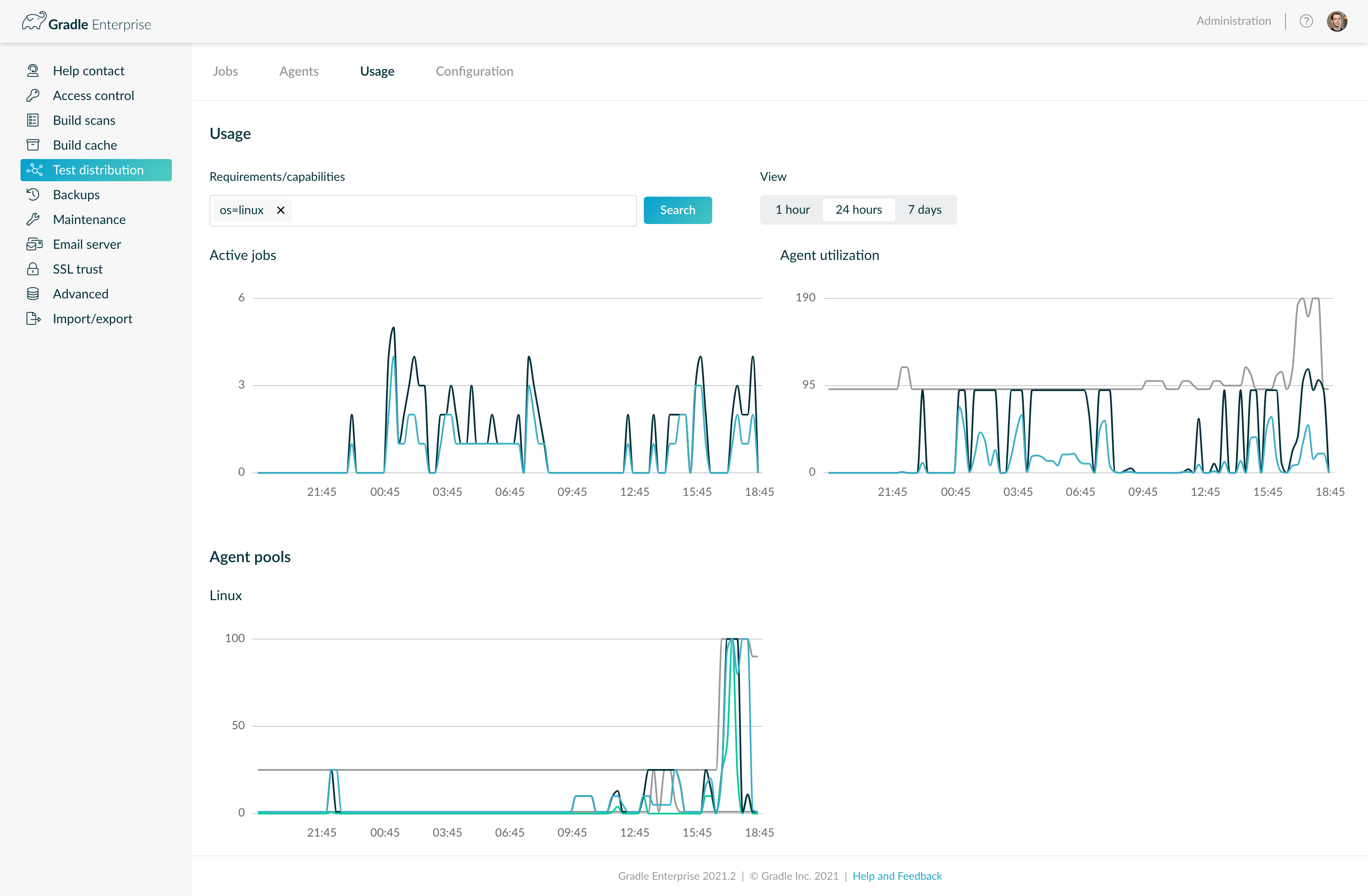
By default, all jobs, agents, and agent pools are shown. Adding requirement or capability criteria narrows the view. It then shows the jobs with at least the specified requirements, and the agents and agent pools with at least the specified capabilities.