Anonymous Access
Configure the level of access granted to users who aren’t logged into Develocity.
Anonymous access allows developers to publish builds without per-user authentication, simplifying setup. Evaluate it carefully against your security and data privacy requirements.
Understanding Anonymous Access
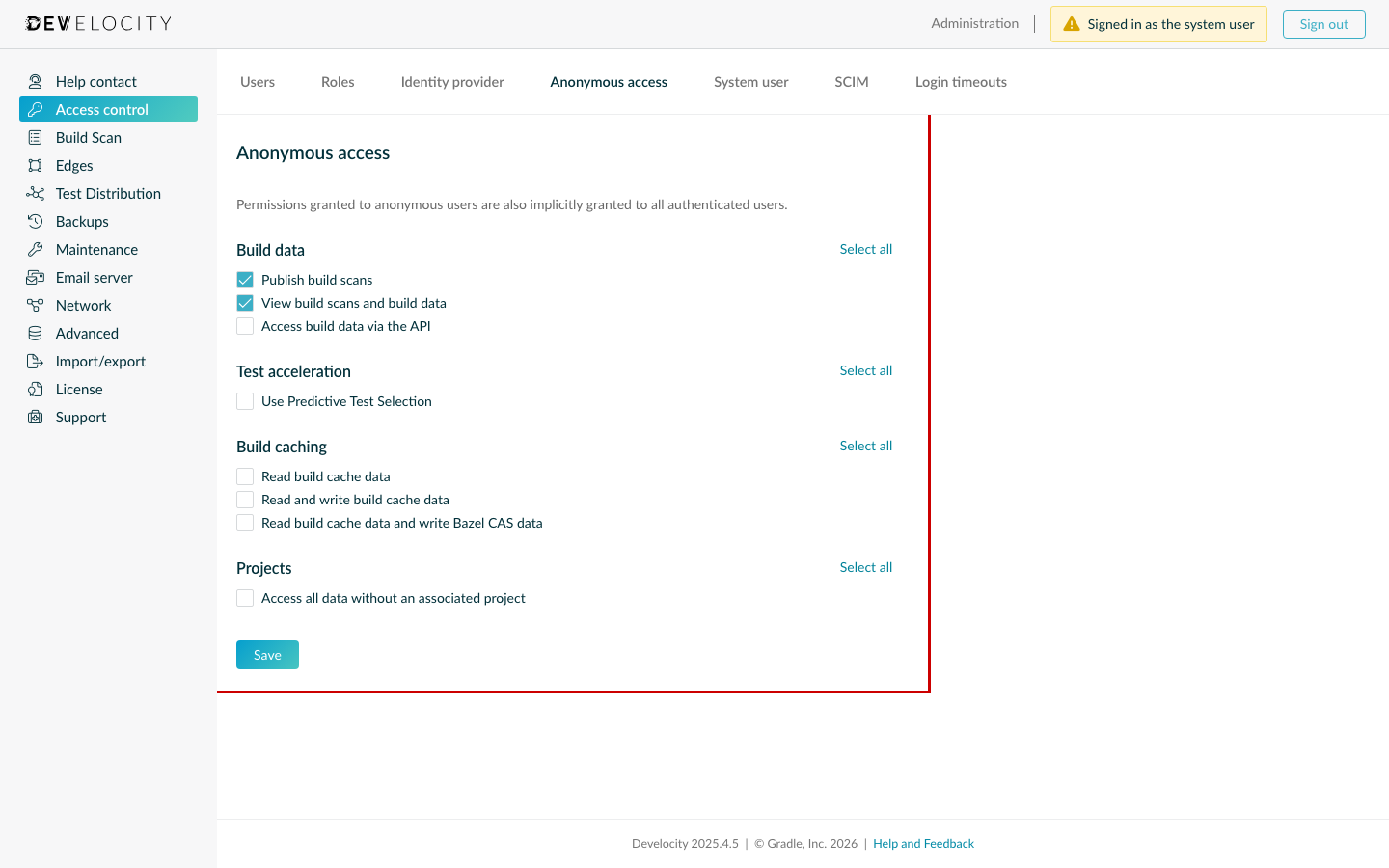
By default, Develocity allows anonymous users to view and create Build Scan data. This allows developers to publish and analyze builds without authenticating.
|
Anonymous access to the built-in Build Cache node is disabled by default. Users must authenticate to interact with the cache unless explicitly modified in the service settings. |
Configure via the User Interface
To modify anonymous permissions in the Develocity UI:
-
Log in to Develocity as a user with the Administrator role.
-
Navigate to .
-
Select the desired access level or specific permissions for unauthenticated users.
-
Click Save to store the settings.
-
Click Apply and restart in the upper-right corner to activate them.
|
Applying configuration may take several minutes. |
Configure via Unattended Configuration
If you are managing Develocity using a GitOps or automated workflow, you can define the global settings using Unattended Configuration. Depending on your deployment strategy, you can provide these settings either as Integrated configuration within your values.yaml or as a Standalone configuration file.
version: 17
systemPassword: "«hashed-system-password»"
auth:
  anonymousPermissions:
    - viewScan
    - publishScan
  external: null
  projects:
    acceptAnonymousProjects: true
    enabled: false
Deployment Templates
Download the appropriate YAML template to begin your infrastructure configuration.
For Develocity versions 2025.3 and prior, see the 2025.2 Administration Guide or the 2025.3 Administration Manual.
| Cluster Deployment |
Example template for cluster orchestration. |
| Standalone Deployment |
Example template for standalone setup. |
|
Pre-deployment Checklist
See Unattended Configuration for details. |