Flaky Test Detection
A flaky test produces both passing and failing outcomes for the same code and inputs. Develocity detects these tests through two mechanisms and surfaces flakiness data in the Tests Dashboard and the Build Scan.
Within-Build Detection
When a test fails then passes on retry within the same task execution, Develocity records a FLAKY outcome in the Build Scan.
FLAKY differs from FAILED: the test had mixed pass and fail outcomes within the same run, regardless of which occurred first.
Within-build detection works with any mechanism that reruns a failing test in the same task run. Compatible sources include:
-
Built-in retry in the Develocity Gradle plugin
-
Maven Surefire
rerunFailingTestsCount -
Develocity sbt plugin
-
Bazel’s
flakyattribute -
Third-party retry annotations such as junit-pioneer’s
@RetryingTest -
Jest’s
jest.retryTimes() -
Mocha’s
this.retries()(or the--retriesoption) -
Cypress test retries (the
retriesconfiguration option) -
pytest’s
--retriesoption (via thepytest-retryplugin)
npm and Python (beta) provide within-build detection only; their FLAKY outcomes appear in each Build Scan but not in the cross-build Tests Dashboard.
Use failOnPassedAfterRetry (Gradle) or FlakyTestPolicy.Fail (sbt) to fail the build when a test passes on retry, preserving the flakiness signal as a gate failure.
For retry configuration per build tool, see the Flaky Test Detection Guide.
Cross-Build Detection
Cross-build detection identifies tests that flake too infrequently to fail twice in the same build. The Develocity server compares test outcomes across builds that share the same input fingerprint, a hash of the declared inputs to the Gradle task or Maven goal, including source files, classpath, configuration, and environment variables.
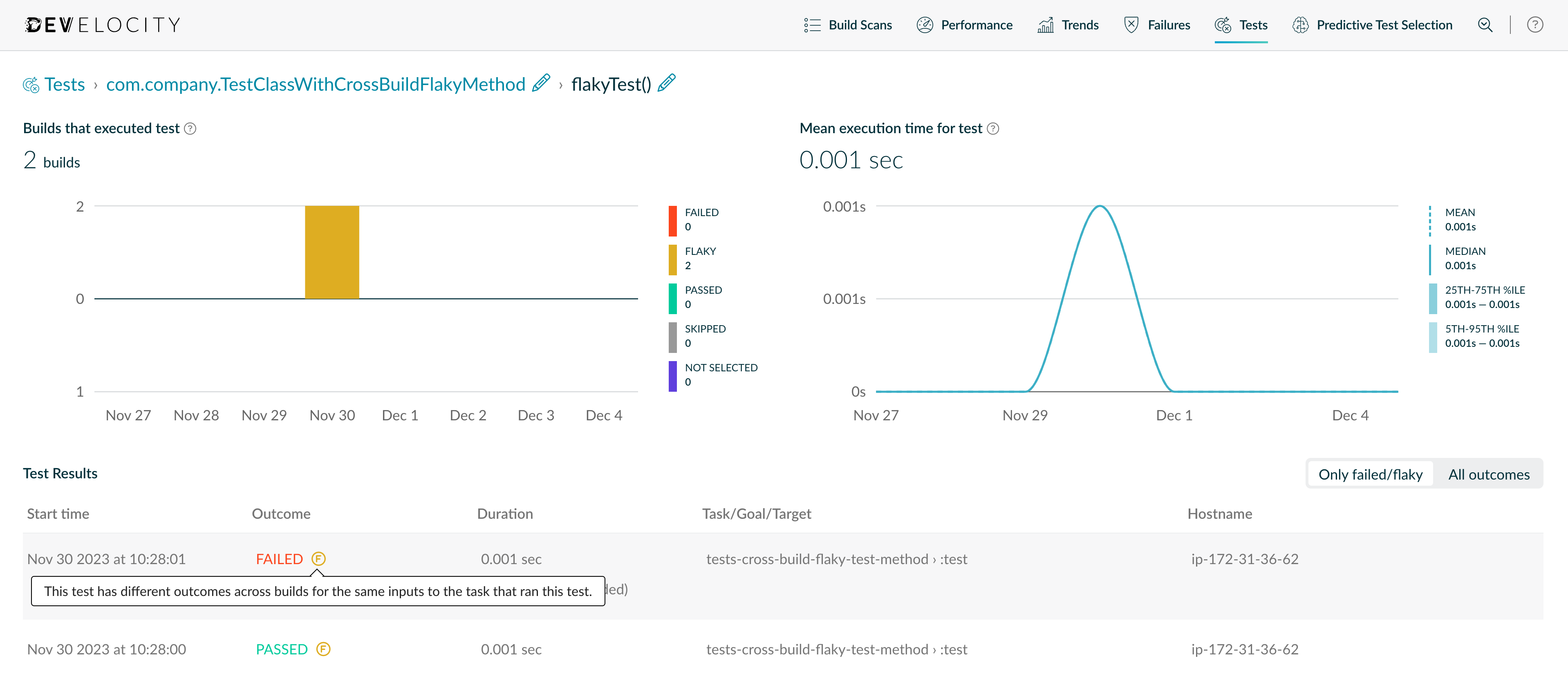
When a test passes in one build and fails in another with the same input fingerprint, Develocity classifies it as cross-build flaky. Cross-build detection requires no client-side changes and applies automatically to any team publishing a Build Scan with a compatible Develocity Gradle plugin or Maven extension.
| Cross-build detection supports Gradle and Maven only. |
Viewing Flaky Test Data
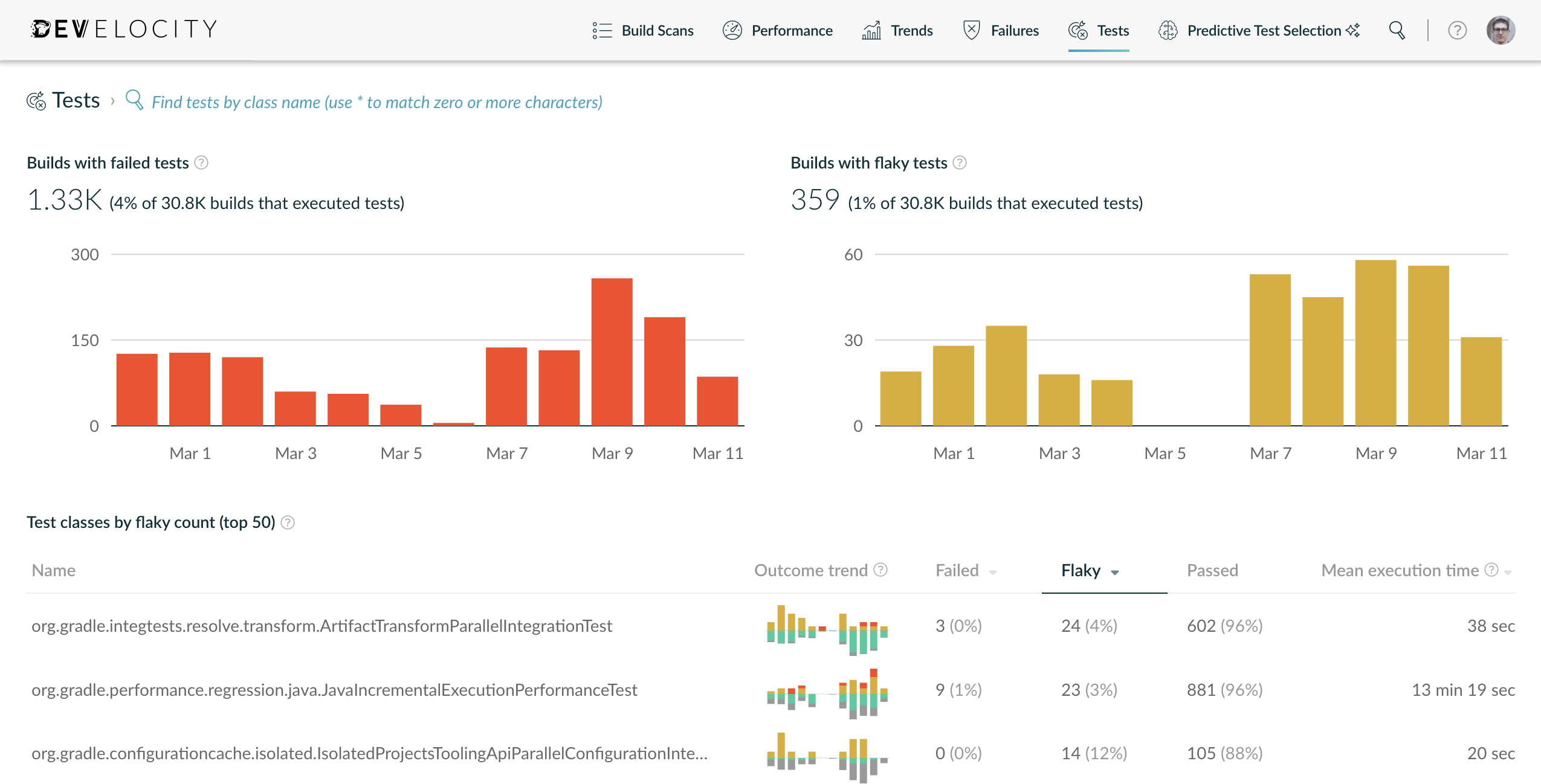
Flaky test data appears in two locations:
-
Tests Dashboard: tracks
FLAKYand cross-build flaky outcomes across builds. Use it to identify the most frequently flaky tests and observe trends over time. -
Build Scan test view: within-build flaky tests appear with a
FLAKYoutcome label. Cross-build flaky tests show an indicator beside their primary outcome, which remainsPASSEDorFAILEDas recorded in that build.
Related Documentation
-
Flaky Test Detection Guide: retry configuration per build tool (Gradle, Maven, sbt, Bazel, npm, and Python)
-
Develocity npm Agent: Viewing Test Results: enabling and viewing flaky test detection for Jest, Mocha, and Cypress
-
Develocity Python Agent: Viewing Test Results: enabling and viewing flaky test detection for pytest (beta)
-
Develocity API Reference: programmatic access to flaky test data via the Tests endpoint
-
Predictive Test Selection: selects recently flaky tests by default; enabling retry improves prediction accuracy