Identity Provider
Configure an external identity provider.
While Develocity includes a local System User, enterprise environments typically configure an external identity provider (IdP) to centralize user management and enforce security policies.
Prerequisites
-
An account with permission to configure access control in Develocity.
-
Administrator access to your identity provider (IdP).
-
Your IdP configuration details:
-
For SAML 2.0, the IdP metadata file.
-
For LDAP, a bind DN and credentials, plus the LDAP connection details.
-
|
Develocity supports one active external identity provider at a time (either SAML 2.0 or LDAP). |
Authenticated Build Access
Builds authenticate with Develocity using an access key. Configure build authentication in the Develocity Gradle Plugin User Manual or Develocity Maven Extension User Manual.
SAML 2.0
SAML 2.0 enables Single Sign-On (SSO) using providers like Okta, Entra ID, or Ping Identity.
Configure via the User Interface
User accounts for users authenticating with the SAML provider will be created on first login.
-
Navigate to .
-
Select Enable external identity provider, then select SAML 2.0.
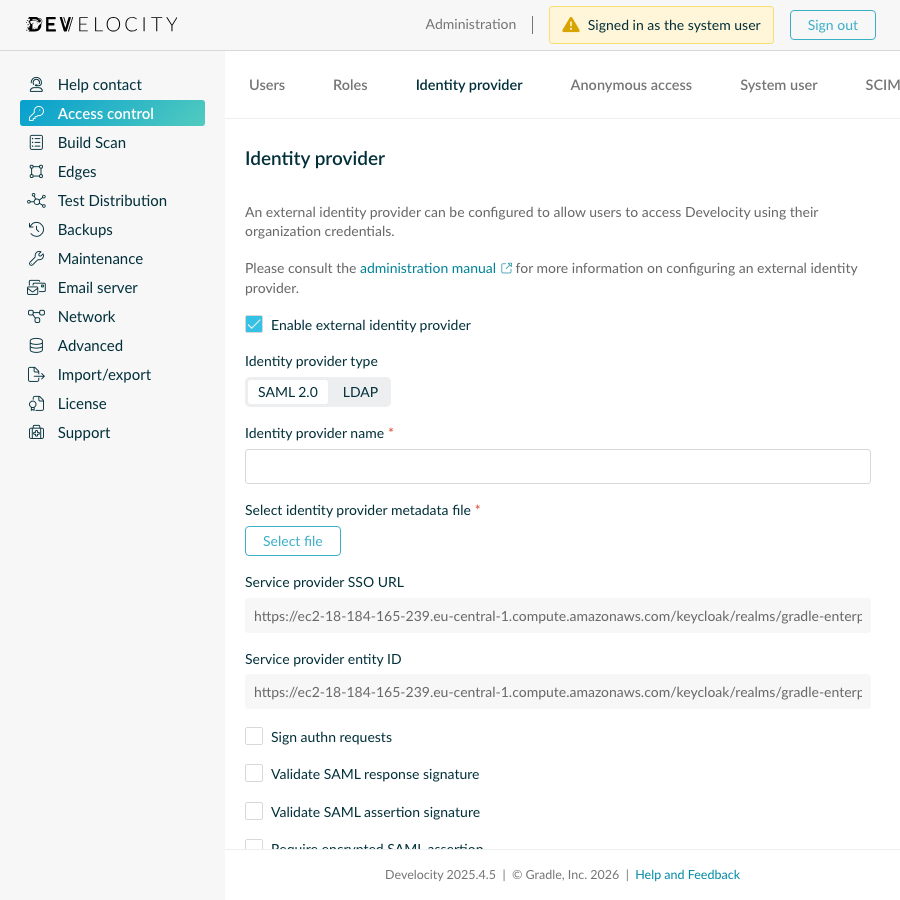 Enable SAML
 -
Enter a name for the identity provider.
-
Create a SAML application at your identity provider using the displayed "Service provider SSO URL" and "Service provider entity ID".
-
Download the metadata for the SAML application from your identity provider, and select this file for the "Identity provider metadata file" field.
-
Configure signing/encryption options (optional). If any signing or encryption is being used, use "Download service provider config" to obtain a configuration file that will need to be provided to your identity provider.
-
Configure Attribute Mappings.
-
Configure Role Mapping membership.
-
Click Save, then click Apply. This does not restart Develocity.
|
SAML handles authentication, but not user deletion. To automate the user lifecycle, configure User Provisioning (SCIM 2.0). |
Attribute Mappings
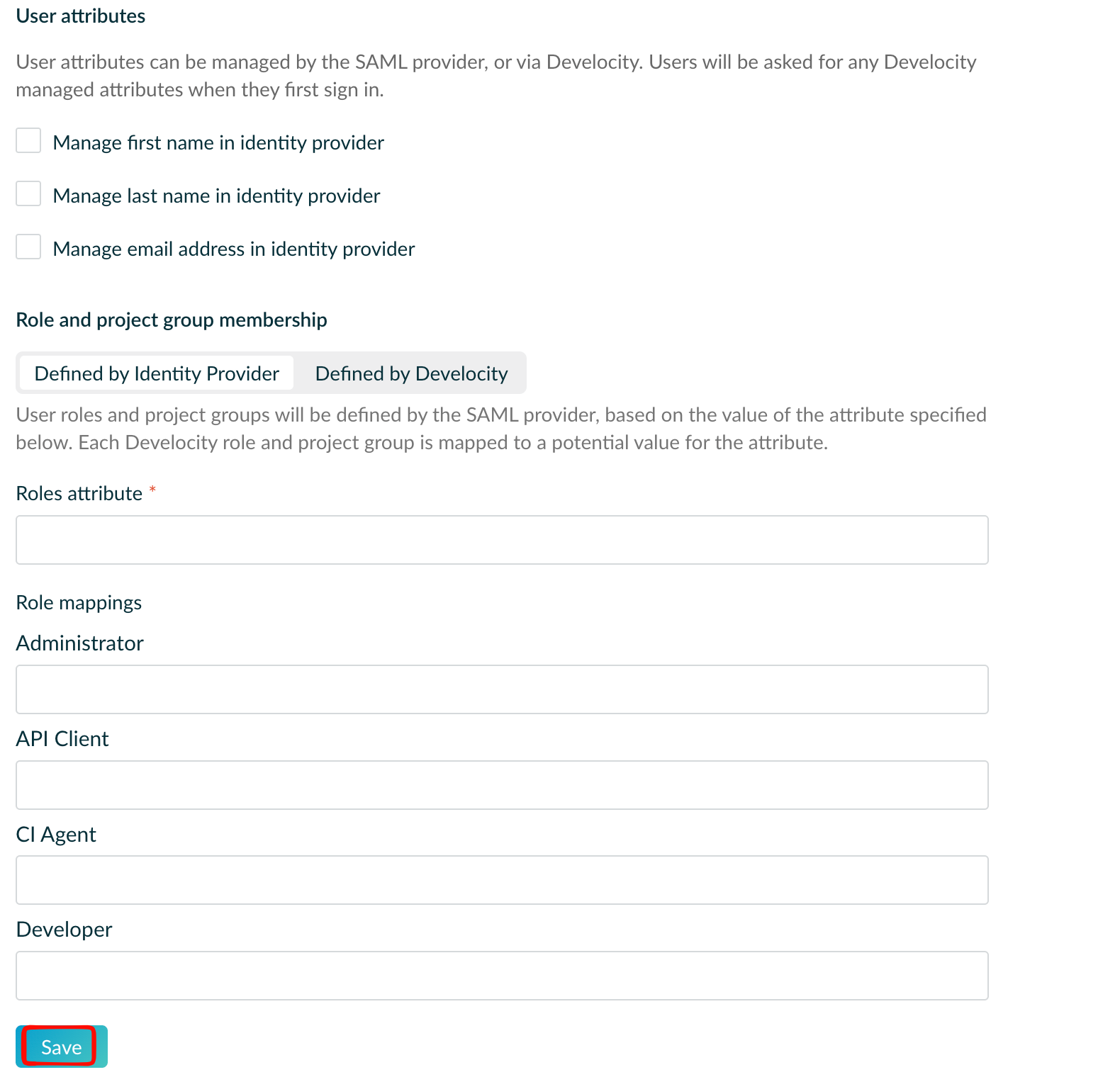
User’s "given name", "surname" and "email" attributes can be obtained from the identity provider or prompted for on first login.
To obtain an attribute from the identity provider, select "Manage in identity provider" for the attribute and specify the name of the SAML attribute that will provide the value. Attribute changes made at the SAML identity provider will only take effect after either a user-initiated logout, administrator force logout, or session expiry.
Locally managed attributes can be updated for a user by an administrator.
Role Mapping
User role membership can be defined by the identity provider or managed locally.
To use identity provider specified role membership, select Defined by identity provider in the Role membership section. The name of the SAML attribute that defines the roles for a user must be specified, along with the values to map to Develocity access roles.
When using "Defined by Develocity" as the "Role membership" option, the default roles for users can be specified. Users will be assigned the default roles when they first sign in. Changing the default roles will change the role membership of users with default roles enabled. Administrators can change role membership for individual users after they have signed in for the first time, including whether the default roles should be enabled for the user.
LDAP
Connect Develocity to an LDAP or Active Directory service to authenticate users against your directory tree.
Configure via the User Interface
-
Navigate to .
-
Enable Enable external identity provider and select LDAP.
-
Enter the connection details (Server URL, Port, and Bind DN).
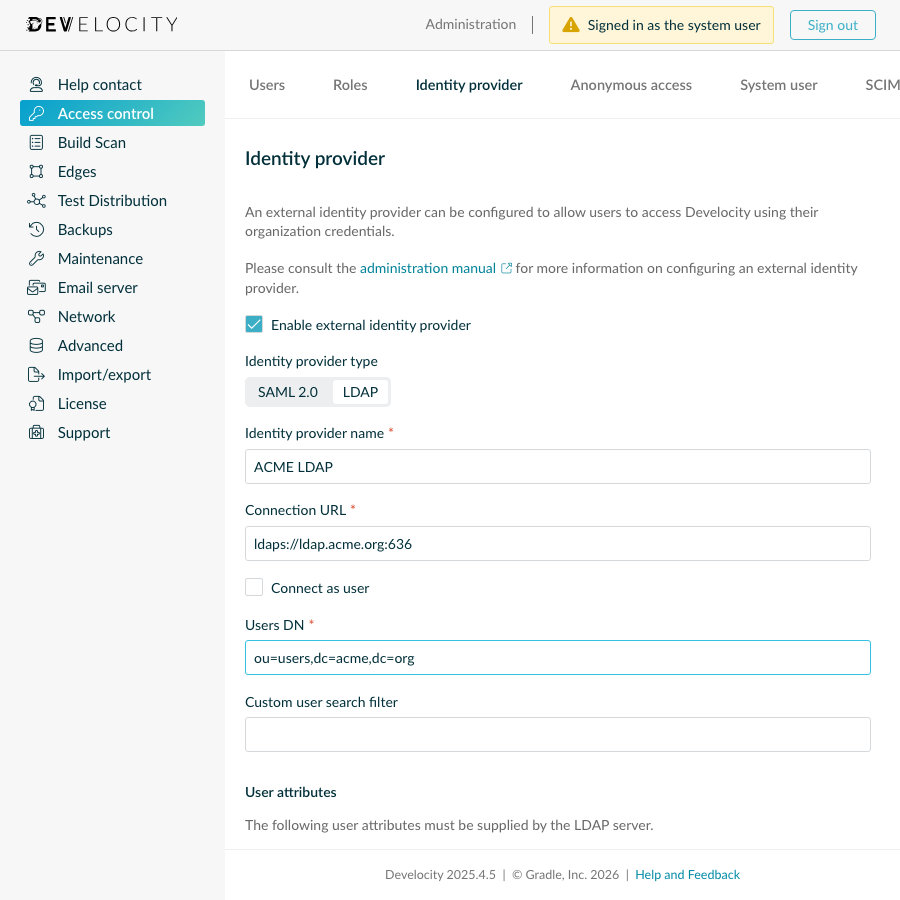 LDAP connection details
 -
Map the required user attributes:
username,first name,last name,email, andUUID.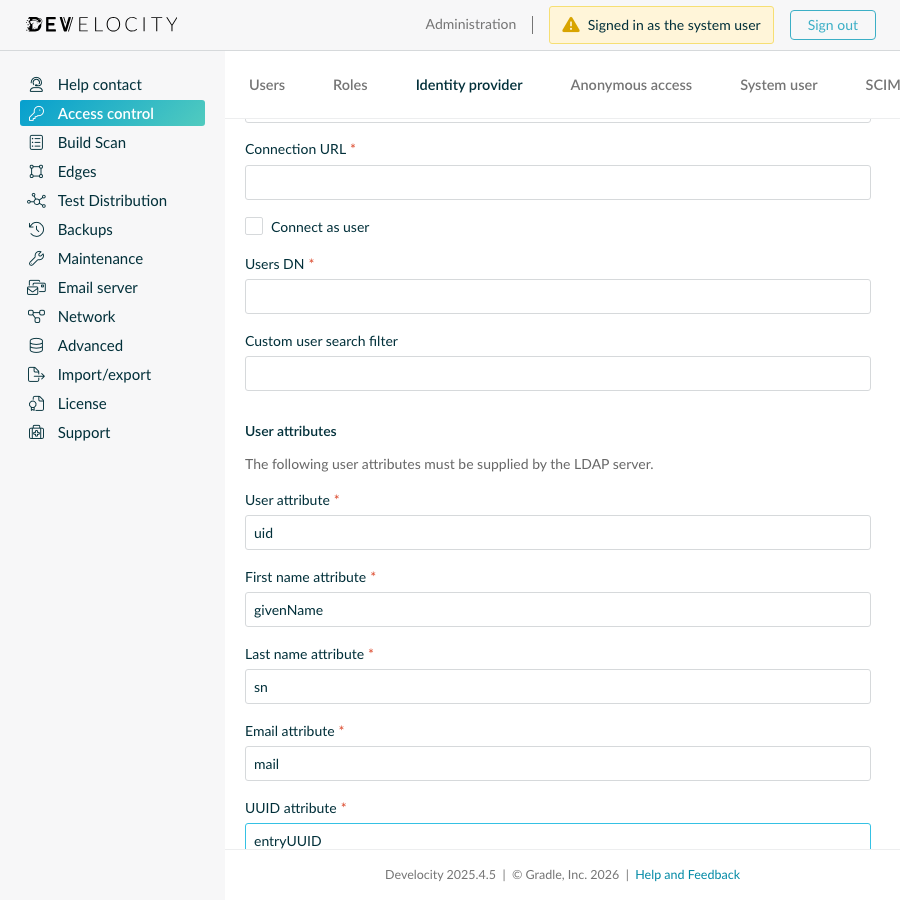 LDAP attribute mapping
 -
Configure role membership to either use LDAP groups or manage roles manually.
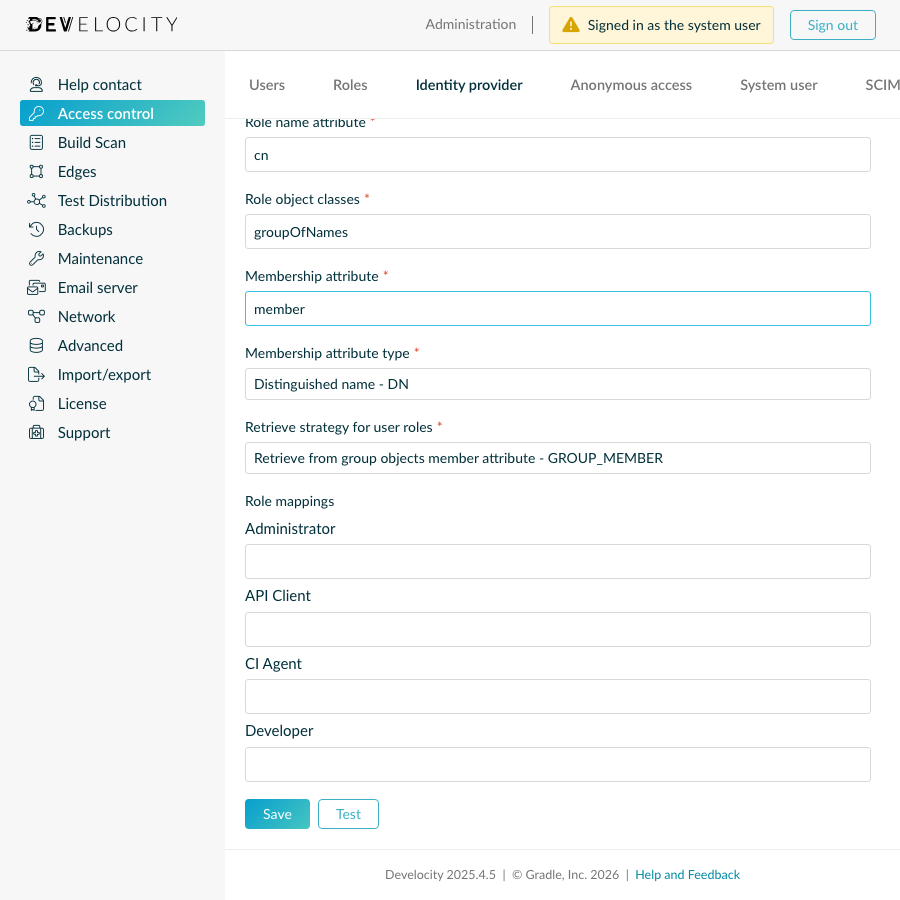 LDAP role mapping
 -
Click Test to verify the connection, then click Save and Apply.
|
Commonly, the "UUID" attribute is |
LDAP Role Mapping
User role membership can be defined by the identity provider or managed locally.
To use identity provider specified role membership, select Defined by identity provider in the Role membership section. Details on where to find roles and how they’re defined must be provided.
For most LDAP providers it’s common for the role object class to be groupOfNames, however for Active Directory this is usually group.
|
When using "Defined by Develocity" as the "Role membership" option, the default roles for users can be specified. Users will be assigned the default roles when they first sign in. Changing the default roles will change the role membership of users with default roles enabled. Administrators can change role membership for individual users after they have signed in for the first time, including whether the default roles should be enabled for the user.
Recursive group membership is supported, via an opt-in option.
Technical Notes
-
Account Conflicts: You cannot sign in through an IdP if a local account exists with the same username or email address.
-
Sign-out Behavior: Signing out of Develocity doesn’t sign you out of your IdP.
-
Role Sync: Develocity updates IdP role membership when you sign in or when your session refreshes.